Hey! I just finished this. It's only 10 months late. Come listen to my favorite songs of last year and wonder why it took me 10 months to finish and publish this.
Some hints: 2 British bands, 2 Boston bands, 3 other American bands, 3 Canadian bands.
Tech, music, sports, and other stuff.
Hey! I just finished this. It's only 10 months late. Come listen to my favorite songs of last year and wonder why it took me 10 months to finish and publish this.
Some hints: 2 British bands, 2 Boston bands, 3 other American bands, 3 Canadian bands.
I was playing my first Sunday basketball in a few months (we usually stop playing over the summer). I shocked myself a bit, as I wasn't playing awful (not great, but not nearly as bad as I expected).
About 30 minutes into the game, went up for a rebound and then felt my head jerk to the side and smelled the incredibly distinctive smell of blood. Instinctively, I pulled my hands up to my nose and they were immediately covered in blood. I made it down to the bathroom to clean up, where my nose continued to gush for about 20 minutes.
Even through the swelling, I could tell my nose was broken.
I made it to the hospital where they took care of me and told me "You are right. It's fractured. We really don't do much for broken noses any more. If you'd like me to put it back in place, I can try."
Of course, I said "yes", and they shoved my nose back into place. The swelling has steadily been going down, but it's still sore and it's still a little out of place.
I tried to find a picture to show the before and after. It's not drastic, but I think it's noticeable.
BEFORE
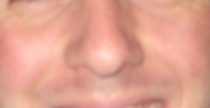
AFTER (reversed for some reason)
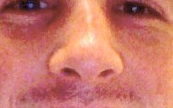
Note the light down the bridge of my nose. It's decidedly curved. If you could see my nostrils, you'd note that they're now angled and aren't symmetrical.
There you go--want a new nose? Get elbowed in the face.
Well, there goes my life ...
So, long time no post.
A bunch of stuff has been going on.
I went on vacation to North Carolina with the girl and it was great.
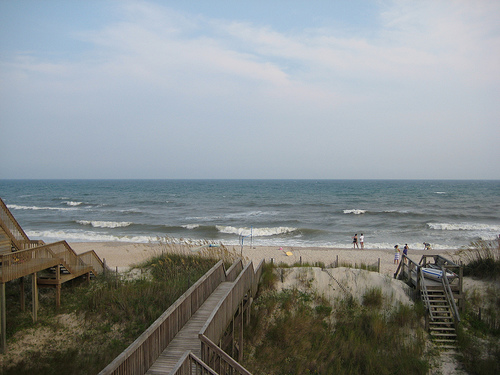
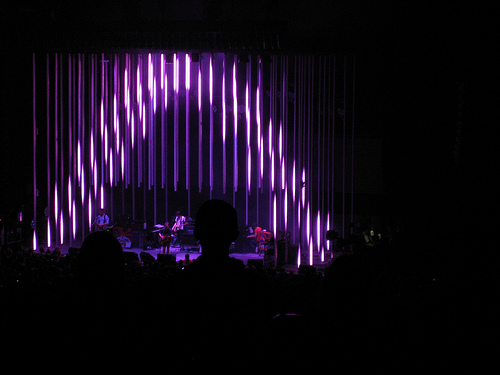
Then we came back and went to Radiohead with Brett and The Wife. It was also pretty great, though they did not play enough off of The Bends.
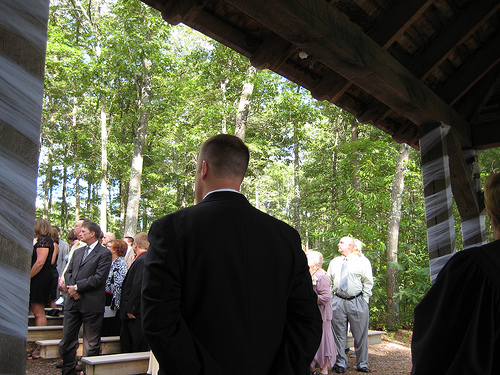
Off then to Justin's wedding, that I was lucky enough to be a part of. And yes, this picture is from me standing there as a groomsman. I have no tact.
As a gift, we got these nifty beer holders.
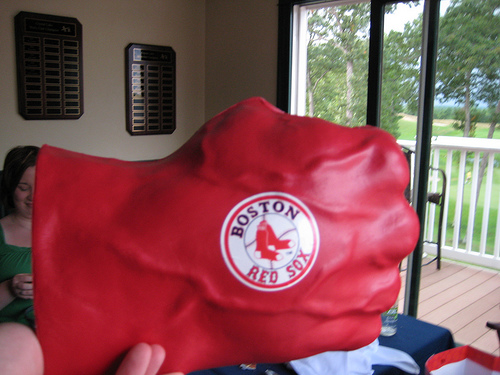
Hulk Smash!
A few days later, off to my brother's wedding, where I think I was the tallest member of the wedding party. Or close to it. Which is a rarity. That's me on the far right.
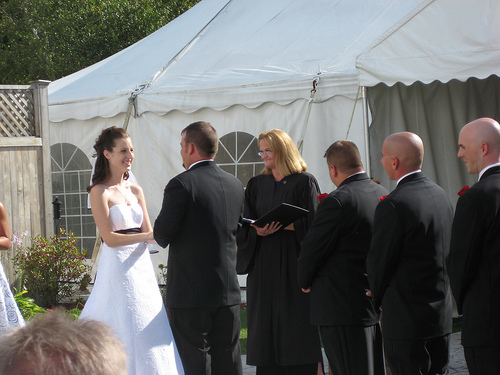
The wedding was pretty great, particularly my niece and nephew who were adorable.
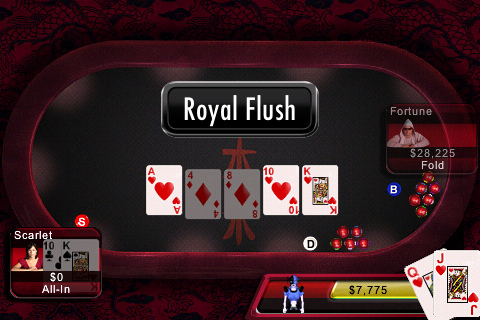
Somewhere along the line, either in an airport or just during some downtime, I played some poker on my iPhone and did this:
Mixed in there was a bunch of work, which has been better, although it's been kicking my ass. A good ass kicking, I think, but an ass kicking nonetheless.
I'm hoping to get back in the swing of things. I think I've got a post building up about the election and the conventions, but I'm waiting for my thoughts to settle a bit. Maybe something about Google Chrome. Or maybe something about Generation Kill (which I'm currently one episode from finishing). I've got a lot to write about--just need to find the time to do so.
On top of all that, over the next few weeks, there's a whole bunch of shows I'm heading to:
9/16 -- Roger Clyne
9/23 -- Weezer and Tokyo Police Club
9/26 -- Ben Folds
9/27 -- Dear Leader
10/6 -- Fleet Foxes
Whew.
So, Google announced recently that it would support CalDAV syncing with iCal, which means if you update an entry in iCal (or Google Calendar), they'll be in sync within a few minutes. Awesome.
Unfortunately, it meant that my previous script iteration would now continually add alarms, leading to each entry having 3 or 4 alarms. Turns out that updating a local iCal calendar and adding an alarm actually updates that same info at GCal. Which is awesome (but was unexpected).
So, I made a small tweak to the script, which makes it run a bit faster and makes sure that you only get one alarm on an entry:
Try this instead:
tell application "iCal"
  set theCalendars to {"Cal1", "Cal2"}
  repeat with theCurrentValue in theCalendars
	tell calendar theCurrentValue
	  set theEvents to every event
	  repeat with theCurrentEvent in theEvents
	    tell theCurrentEvent
	      if not (exists sound alarm of theCurrentEvent) then
		   make new sound alarm at end /
		   with properties {trigger interval:-15}
		  end if
	    end tell
	  end repeat
	end tell
  end repeat
end tell
That basically means it won't add another sound alarm if the entry already has one. Much handier. In fact, you could just take that script and have it run every few hours (either cron'd or via iCal), and not have to worry about the iTunes Sync script.
In about 12 hours I'll be in the air heading home from what has been a pretty great vacation. Loads of sun (without much burning!), awesome waves, and general relaxation make me happy. Of course it also makes me a bit reticent to head back to work. My only exposure has been the emails flowing to my iPhone, most of which I've ignored. We'll see how I feel on Monday.
I realize this is lame, but I didn't feel like typing a ton on the iPhone.
My biggest gripe with the iPhone thus far has really been a gripe with iCal. Namely, that there's not an easy way to add alarms to subscribed calendars. I know that sounds like a silly gripe, but let me set the stage.
My main calendaring info is in Google Calendar, like a lot of folks. This is great because I can access my calendar from anywhere, on any computer, most cell phones, etc. It gives me a central way to maintain a calendar and have access to it pretty much all the time. I subscribe to my Google Calendar in iCal on my Mac, which gives me native calendaring (one-way, at least) that's always up-to-date with the data in the Google cloud. It's nice.
Taking it one step further, I use SyncMyCal to push my Outlook calendar to my Google Calendar as well. (I would use the normal Google Calendar Sync application, but it only syncs with the primary calendar, and I'd rather keep my personal calendar and work calendar separate.) So, every day, before I leave the office, I click a little sync button and it pushes my Outlook info up to Google Calendar. Again, one-way sync, but it's one-way from my primary source, so I'm not worried about it.
That means I've got my personal and work calendars all centrally located on Google Calendar, accessible from pretty much anywhere. Including my primary machine of my Mac, where iCal subscribes to all of my various calendars. It's a wonderful system.
Except one thing. iCal doesn't allow you to set alarms on subscribed calendars. At least not through the interface. That makes this wonderful sync system decidedly less useful. See, between my MacBook and my iPhone, I'm pretty much covered. One is with me most of the time. If I had alarms on my calendars, then I'd pretty much have a perfect setup.
It worked incredibly well with my Motorola Q (and The Missing Sync from Mark/Space), which would import all of the calendar items from iCal, and set default alarms on them on the Q. Beautiful.
Not so much on the iPhone. For a couple of months, I've just dealt with the fact that using Google Calendar put me in the middle of the two supported options: using iCal and using Exchange (which became available with the 2.0 firmware). I could see the calendar events on my iPhone, but they were never going to make that nice "bleep bleep" sound and let me know that I had a meeting or I had to be somewhere in a few minutes. It's something I had taken for granted with previous smartphones, but just chalked up to a deficiency in the early years of the iPhone.
Except I finally got fed up enough to do some digging into AppleScript and found some pointers to adding an alarm to an event. I figured why not give it a shot on subscribed calendars? Maybe I could add some alarms to my subscribed calendars?
After poking around and playing with AppleScript (something brand new to me, I got this working):
tell application "iCal"
	set theCalendars to {"Subscribed 1", "Subscribed 2"}
	repeat with theCurrentValue in theCalendars
		tell calendar theCurrentValue
			set theEvents to every event
			repeat with theCurrentEvent in theEvents
				tell theCurrentEvent
					make new sound alarm at end with properties {trigger interval:-15}
				end tell
			end repeat
		end tell
	end repeat
end tell
Basically, we grab our two subscribed calendars (those are placeholder names, replace with your own subscribed calendar names), go through each entry and add a sound alarm 15 minutes before the event. It takes maybe 10 or 15 seconds to go through both of my calendars, but lo! I end up with alarms both in iCal and on the iPhone!
Bingo. Exactly what I need. I'm sure there's something more elegant, but this worked for me.
The next issue, of course, was a "race condition" of sorts. My calendars update themselves periodically. If they updated before I sync with my iPhone, the alarms would be gone. How could I resolve that?
How about another AppleScript? I did a bit more googling, and of course, there's a nice way to sync your iPhone (or iPod), via AppleScript. Why not combine both scripts and drop it into the iTunes script directory? That's a brilliant idea!
tell application "iCal"
	set theCalendars to {"Sub1", "Sub2"}
	repeat with theCurrentValue in theCalendars
		tell calendar theCurrentValue
			set theEvents to every event
			repeat with theCurrentEvent in theEvents
				tell theCurrentEvent
					make new sound alarm at end with properties {trigger interval:-15}
				end tell
			end repeat
		end tell
	end repeat
end tell

tell application "iTunes"
	repeat with s in sources
		if (kind of s is iPod) then update s
	end repeat
end tell
Now, when I'm about to leave the house, I just do this:

That's it. All of my calendar items, from Google Calendar, sync'd to my iPhone with alarms. It's a beautiful thing.
And I wish nothing more than for iCal to render it useless my having a "add default alarm to subscribed calendar" checkbox.
I'm posting from the new iPhone app. Here's a picture.

For the first time in a very long time (probably > 4 years), I've hit the wall and become completely unmotivated. I won't get into the specific details, but there's just a hodge-podge (technical term) of work stuff going on that leaves me feeling empty, defeated, and broken. I feel like I've actually been a fighter for change (positive change, at that) in this company, and I know that I've worked extremely hard to make things better for the company, my co-workers, and our customers.
Don't get me wrong, the company has (financially) treated me well. I've gotten the opportunity to do a lot of great things, and gotten opportunities I wouldn't have gotten elsewhere.
But I kind of feel like we're drifting in different directions. The company (as an entity, not necessarily the employees) is headed in one direction, and with that has come changes in tone, process, and even our moral compass. The things that made me excited and energized to come in and change the world have taken a back burner to onerous processes, misguided and (often) conflicting objectives, and just a grand feeling of a lack of efficacy.
So here I sit, entirely demotivated, chugging through the work I have to do, but watching as the little things that we used to do so well and made us successful (and got us to this inflection point) are falling through the cracks, people knowing ignoring them, knowing that they're going to bite us in a month or two. But since that's not right now, not this exact moment, no one really cares. Hell, every one of our systems is currently down and has been for a couple of minutes. Not because people are bad at their jobs, but because we aren't taking the time to do things right.
We're basically at the point of considering everyone in the company cheap labor. "Don't worry if it's scalable or the right solution, just do it and we'll deal with the consequences."
Easy to say when you're not the one getting woken up at 2am.
It's frustrating, it's somewhat demeaning, and it's utterly demotivating.
Sadly, it is fixable, but I don't think I have it in me to fight to make people recognize that something needs to be fixed. Instead, the only motivation I have right now is to make a change to my own situation.
I captured a few grainy videos on my digital (picture taking) camera while I was at Game 6. I've thrown them up on YouTube as all the kids are doing these days.
Check them out for a little glimpse of what it was like that night ...
GINO Time! Complete with Paul Pierce dancing on the table:
The last few seconds before the Celtics were officially NBA Champs:
I'll post a couple of more when I have time. For now, enjoy (much like 750 other people have enjoyed my Gino video!)