Moving from Google Calendar to iCloud

There’s a lot of awesomeness about Google Calendar. I’ve been using it, synced to my iPhone, iPad, and Mac, for pretty much everything but my work calendar (stupid Exchange). I used it so much that I even built a Greasemonkey script to automatically create Google Calendar entries from Evites. That’s not necessary any more (Evite finally added it natively), but it’s safe to say I used Google Calendar pretty exhaustively.

Over time, working with Google Calendar across all those devices became a bit tougher. It’s not really Google’s fault–I just wanted to do some stuff that wasn’t as easy to do. Syncing across multiple devices with all of them being able to read/write/update entries became a crapshoot as to whether or not an update would work. Weirdness with iCal (on the Mac) where all of a sudden it couldn’t authenticate to Google’s servers. I’m not sure where the fault lies (probably both on Google and Apple: Google tends to do some stuff non-standard; Apple seems to sometimes not handle non-standard stuff very well), but it would go flaky every now and then.

That being said, it still worked very, very nicely. Mostly. iOS 4 made it even easier when they added native Google Calendar syncing.

But, in iOS 5, Apple released iCloud, and with it, the chance to simplify a bit. I could drop some of the workarounds to go native Apple. So, as risky as that sounds (remember MobileMe … or hell, remember the trouble just downloading and activating iOS 5?), I decided to bite the bullet and move my calendar out of GCal to iCloud. Just one less thing that could go wrong…for better or for worse.

Google makes it very easy to get your data out. Within a minute, I had downloaded my .ics file with all of my historical events. Over to iCal, import, and boom.

It would fail every time.

After a bit of digging (using Console.app), I could see this error:

iCal: Component boundaries mismatch (VALARM VEVENT)

That lead me to think that maybe Google’s ics file had some sections that didn’t match right (I’m pretty smart, eh?). Thanks to Google’s search engine, I was able to figure out why Google’s Calendar wouldn’t give me my data.

I uploaded my ics to this iCalendar validator. I helpfully told me places where the file didn’t parse properly. Using my favorite text editor (hosted on Google’s code repository–is there anything these guys don’t do?), I fixed the problems.

Voila. Everything imported nicely. Moments later, I had my calendar on iCloud.com, on my phone, and on my iPad. Working exactly the same as it was before, but now I get to more easily take advantage of some of Mac OS’ and iOS’ niceties (data detectors, applications creating calendar events), and I can to take one “sync” out of my chain.[1]


  1. Unless of iCloud craters and I go rushing back to Google.  ↩

These People Are Losing Their Mind

Closer game than it should have been, but this video gives me chills every time I watch it. Need to find myself a way to get back to Blacksburg.

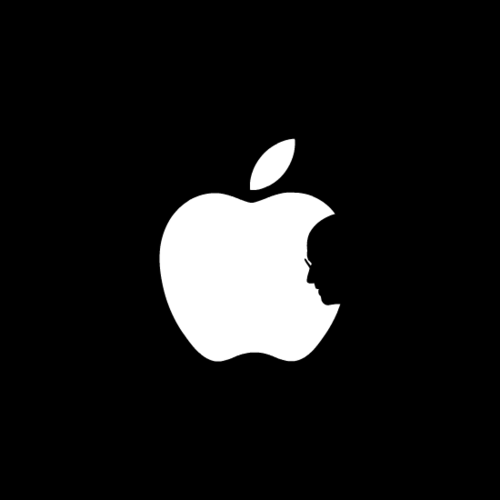
Steve Jobs

Tumblr lqhr46trpa1qz9917o1 500

(from http://jmak.tumblr.com/)

Over the past 10 years or so, like many folks, I’ve become (or re-become) an Apple fan. The first computer I ever used was probably an Apple IIe or IIgs, at a friends or at school. Loads of Oregon Trail, other text-based games, and a bunch of Carmen San Diego.

Then, as I got older (and here we’re talking ten or twelve), I moved into the PC world. I liked building machines, replacing parts, screwing around with trying to move memory around with the autoexec.bat and config.sys so I could run the latest game. And that’s a huge reason I ended up with computers being my vocation. Apple got me in the game, the late 80s/early 90s PC world made me a tech geek.

But then something changed. Well, a couple.

I graduated college.

I got a job.

I no longer had time (nor the desire) to upgrade to the latest drivers, or deal with the incompatibility between my new graphics card and my sound card. I didn’t want to deal with poorly developed software that caused my machine to blow up just because I wanted to use a scanner or play a game.

It started slow. I got a second-gen iPod in, I think, 2002. It cost $500 for 10GB. I had to buy a FireWire card for my PC to even use it.

But Steve Jobs had gotten his foot in the door. The iPod did one thing, and it did it well: it played music. The interface required no instructions, no learning curve, no explanation. It. Just. Worked. (It also lasted me 3 or 4 years. And I’m pretty that if I turned it on right now, it would work.)

One iPod lead to another iPod (a Shuffle, then a 5th Gen iPod). Then, I got sick of dealing with a crappy PC at work and bought myself a MacBook Pro. My re-entry (after 20 years or so) into real Mac computing.

I’m not going to tell you that Macs are better because of superior hardware or software. I’m not going to tell you that everything about a Mac is better than a PC. I won’t tell you that Steve Jobs was some sort of deity of software design.

What Steve Jobs got, and what he eventually made me realize, is that my time and my experience are worthwhile. It’s worth paying a little bit extra to get a computer that just sort of does what it is supposed to. That has an interface that makes sense. That doesn’t make me worry about configuration or setup. That does the little things right. Whether it’s a computer, or a music player, or a video player for the TV, what’s valuable isn’t the technology, it’s the technology’s ability to get out of the way and make my life better, easier, faster.

As a kid (and even now, a little bit), futzing around with a computer is an enjoyable pastime. Your time, as a kid, just isn’t quite as valuable. When you have a job, and maybe a hobby or two, or a family, your time is your most valuable asset. Your time allows you to do what you dream–build a company, a family, play a sport, start a charity, whatever it is. Steve Jobs sold time.

Your time is limited, so don’t waste it living someone else’s life.[1]

2011 TV In and Out

I know you care.

Out

  • Ringer - Gave it a shot. Sarah Michelle Gellar or not, it was so atrociously bad. However, now we all know how to pronounce “Siobhan”.

In

  • Up All Night - Kelly Bundy and Gob Bluth as exasperated parents, very very funny. Maya Rudolph as Oprah, not funny (yet).
  • New Girl - If you like Zooey Deschanel being her most Zooey Deschanel, you’ll like it. It’ll be weaker without Damon Wayans Jr. (who goes back to the very underrated Happy Endings).

On The Fence

  • Free Agents - I usually like shows based on British shows. And this has Giles from Buffy in it. It’s just not that funny. One more try.
  • 2 Broke Girls - The first of the two shows in this section by Whitney Cummings. It’s only getting a second shot because of Kat Dennings. Every scene in the restaurant is bad 70s sitcom-level bad.
  • Whitney - The second of the two Whitney Cummings show. Aside from the horribly insensitive (but funny) blackface joke, every scene in the entire show was bad 70s sitcom-level bad.
  • Charlie’s Angels - Lyla Garrity. What went wrong? I didn’t realize anyone would actually write the words “I never thought my heart could hurt this much” in a script and mean it seriously. It’s only going to get another try because I half-expect Tim Riggins to show up.

Haven’t Seen Yet, But Will Try

  • Terra Nova - Sci-fi from Steven Spielberg (or maybe Senor Spielbergo …) so it should be good. Then you realize it’s got the Brannon Braga, so it’ll probably suck.
  • Hart of Dixie - Summer Roberts from The OC. I’ll give it a try.
  • Suburgatory - Good cast, horrible name. Horrible name.
  • How To Be A Gentleman - Eh, I probably won’t try it until I give up on Charlie’s Angels. It’s got Dave Foley. So it could be good. On the other hand, it’s on CBS, which aside from How I Met Your Mother, is toxic to me (you know, because I’m not a 64 year old woman).
  • Pan Am - I guess it could be ok. I’m sort of sick of period shows. Unless they are fake and British like Cougarton Abbey or Inspector Spacetime.

Haven’t Seen Yet, And You’d Have to Pay Me To Try

  • Last Man Standing - If it had Al or Wilson, I might try it.
  • Man Up! - No! And some how Amanda Detmer is now 40. It seems like just yesterday she got splattered by that bus.
  • Revenge - I don’t watch ABC Family shows. Even if they’re on ABC proper.

Haven’t Seen Yet, And You Couldn’t Pay Me To Try

  • Any CBS Hour Long Drama/Procedural About People Who Are Special And Right Wrongs - Again, I’m not menopausal.
  • H8R - i.e. Mario Lopez is pissed that he’s on Extra and Zack is on TNT.
  • The X-Factor - The only performance show for me is The Sing-off.
  • The Secret Circle - The only CW show for me is Supernatural.
  • The Playboy Club - Seriously?! I should be in charge of NBC. Actually, I shouldn’t. The shows I like all have atrocious ratings.

I got an email from President Barack Obama!

I was super jazzed when I got this email from our President, Barack Obama today. He invited me to dinner! I do have some problems with some of the stuff he’s done over the past few years, so I felt compelled to write him a quick note back. Hopefully, he’ll respond soon. That would be the friendly thing to do, right?

Anyway, here’s our exchange. I can’t wait for dinner.

Friend –

I’m writing to invite you to dinner.

If that sounds familiar, it’s because we’ve done this before. I’ve asked the campaign to organize small, five-
person dinners with supporters like you as a regular thing.

These dinners are important to me. Not just because they help me stay connected to supporters like you who are
doing the hard work of building this campaign, but because they set us apart.

No matter what our opponents do over the next 14 months, we have chosen to put people at the heart of our
campaign – and we’re focused on building it one grassroots donation at a time.

I’m asking you to make one today.

Will you donate $5 or more today to be automatically entered for a chance to join me for dinner?

I read a few letters every day from the many that come to the White House. Those personal connections with the
people who put me here drive me and remind me why I set out to do this job in the first place.

Our focus on everyday Americans and their stories has always made our organization more than just a political
campaign.

From the very beginning, we’ve set out to practice a different kind of politics – proving that we don’t need
checks from Washington lobbyists or unlimited special-interest money to win an election.

That’s why I’m asking you to step up and donate today. When you do, you’ll be automatically entered to win a
place at dinner:

http://my.democrats.org/Dinner

Maybe I’ll get to thank you in person.

Barack

Barack,

Appreciate the email. Odd generic email address you use, but I guess that’s to keep the crazies at bay, right? I know how that is!

So, I’d love to have dinner. And honestly, I’d love to give you much more than $5. I’ve been a big supporter of yours since your first DNC address (and when it turned out that my old boss and fantasy baseball opponent played basketball with you in law school! Small world!)

The only thing is that I feel entirely let down by you and the Democratic party over the past 2.5 years. As a lifelong Democrat, I feel like we’ve been caving on things that are both the core of our party, and the things that separate us from the people who just don’t care about our fellow Americans (and our fellow world citizens).

So, let’s make a deal. You get your jobs deal through. Maybe you even get your team to start talking more about investing in America (you know, to get us out of these economic doldrums we’re in). You start talking and acting like a progressive, tough, bad-ass Democrat again, and I’ll give you some money and join you at dinner. Until then, I’ll hold this carrot out there for you, to remind you of how you got elected. You got elected by being f’ing awesome, not being someone who backs down from John Boehner. Seriously, John Boehner scares you? I just don’t get it. You must have some sort of Sixth Sense-like twist coming. Is he a ghost? Or maybe he’s really got some sort of vampire thing going, and that’s why he’s that color (trying to fit in).

In any event, when you start being bad-ass again, and making me proud of my party like I was in November of 2008, I’ll start helping you out. Tit-for-tat and all that.

Sound good? Awesome. Look forward to hearing from the old Barack soon.

Your pal,
Ryan

MacBook ProAir

I’ve got a 2 year old MacBook Pro (15-inch) that I use as my work and home machine. It’s got my canonical iTunes music collection, my photo collection, all of my archived mail, files, whatever.

It is the one machine to rule them all.

I try to do a lot of smart stuff to keep my machine and data safe, since pretty much everything I care about is on it. I have a Time Machine backup that I keep up-to-date religiously. I sync a collection of documents to Dropbox as an off-site backup. The music and photos get sync’d to another machine on my home network.

Nothing groundbreaking, but I try to do what I can to keep this machine happy and healthy.

Over the past few months, as often happens, software upgrades and new applications put a little extra stress on the hard drive and CPU, so things started to get just a bit slower. Things might stutter a bit as I scroll down a web page, or flip between applications. Just enough to annoy me while I worked and make me look longingly at Katie’s MacBook Air with its nice solid-state drive and near instance application loading and boot up.

So, I tried to do the best thing I could do, short of buying a new machine and having to go through all of the work to make that new machine the machine. I SSD-ified it[1].

Well, first, actually, I found out that I could upgrade the RAM to 8GB. $45 later, I had my shiny 8GB RAM kit, took the 10 minutes to install it, and in the couple of weeks since I installed it, my machine has gone into swap a grand total of 500 times (or so). In the couple of weeks before that, it’d gone into swap millions of times. Score one for memory.

The final step was the actual SSD-ification. I found a reasonably good deal on 256GB SSD (at MicroCenter, and grabbed a USB enclosure for the disk I’d be removing at the same time for $8). When I got home from my excusion, I loaded up Carbon Copy Cloner, and cloned my existing data onto the SSD. About 2.5 hours later, I had this nice SSD with all of my data on it.

Again, another 15 minute surgery to the laptop, and I had removed the old drive, placed in the new SSD, and closed things back up.

This machine now flies. iTunes starts in seconds. Excel opens up in seconds rather than minutes. It boots up and loads up my settings in less than a minute.

It’s a giant MacBook Air.

And, at the same time, I’ve now gained a nice backup drive (remember that USB enclosure). Every week or so, I can clone off my entire drive and have a 3rd backup of my data.

All in, the upgrades cost me about $450, which is less than half the cost of buying a brand-new low end MacBook Air, and about a quarter of what a new MacBook Pro will cost. I’m guessing I’ve added at least another year or two to the life of this machine.

It’s probably one of the easiest and most productive upgrades you can perform on your aging laptop.


  1. There’s a great guide to this over on Ars Technica.  ↩

Markdown + WordPress + MarsEdit

A little navel gazing here, mostly so that I can find this post again someday if I run into this problem.

I was trying to move to using Markdown as the syntax for my WordPress posts, basically just to make my life a bit easier. Markdown is basically just a way of writing HTML more quickly, easily, and readably than actually writing HTML. There's a nifty WordPress plugin called Markdown on Save that lets you use Markdown with Wordpress.

MarsEdit, the awesome app I already use to make my life a bit easier, supports rendering Markdown as a Preview, so you can make sure it's all coming together the way you'd like it to. And MarsEdit supports WordPress' custom fields, so, in theory, I could tie the little field that Markdown on Save uses into MarsEdit, and then write my posts here in Markdown, and razzle-dazzle, life would be grand, lollypop-eating puppies would be raining from the sky full of rainbows, etc., etc.

Except it doesn't work. Looks like in WordPress 3.1.3, the WP devs introduced the concept of a protected field (prefixed with an underscore) that can't be edited from outside the app. Of course, Markdown on Save uses one of those protected fields, so MarsEdit wouldn't work out of the box.

A bit of google-fu found this post, but hacking the corresponding code in for Markdown on Save didn't seem to work. Nor did hacking the Markdown on Save source itself to make its field not prefixed with an underscore. That worked for ticking the checkbox of the Markdown plugin, but seemed to make WordPress eat the content of the post.

I'm guessing if I spend a bit more time on it, I could probably figure out how to make it work. But that would defeat the purpose of having something that makes my life easier.

Update: So, after 30 minutes more of google-fu, of course I stumbled on a much beter solution. Install Markdown (or MultiMarkdown), setup a service, and then type up Markdown in MarsEdit, transform it with the service, and then publish as normal HTML.

In other words, don't bother with Markdown on Save.

Earthquake, Hurricanes, and Castles. Oh My!

Monday: Arrive in Edinburgh. Forget that the city is built on bridges. Spend 45 minutes walking around (actually, over) our hotel until I realize I'm a moron. Also, didn't realize ahead of time that the reason it was so expensive to stay in the city is that there's a massive festival going on.

Tuesday: Go off to explore the city. Check Twitter at the hotel and realize that the East Coast got hit with an earthquake. Wonder if anything fell down at our place? (Nope.) Taste a bunch of different scotch whiskys. Awesome. I'm particular to the Islays and Speysides.

From the castle

Wednesday: Climb Arthur's Seat, wearing neither the right shoes nor the proper clothing. Still pretty awesome. Eat a very very good lamb burger.

Steps to Arthur's Seat

Thursday: More random city exploring, including a visit to the very cool Camera Obscura and the National Museum of Scotland.

From the top of the Camera Obscura Building

Friday: We grab a tour across Scotland to Stirling Castle and Loch Katrine. It rains (first time on the whole trip it really rained). When we get home, we realize that Hurricane Irene is going to make our lives miserable (i.e. our flight was already canceled). Make a billion dollar phone call to Delta and get our flights switched to Saturday, rather than Sunday.

Cool

Saturday: Get to the airport very very early. Which turns out to be a blessing, as they can't find our reservation. An hour or so of phone calls and computer wizardry gets us on our flight to Paris, but rather than a 1 hour layover, we've now got a 7 hour layover. And what is probably the last flight to Boston.

Sunday: Slept in my own bed. Turns out Hurricane Irene is all bluster. Some leaves down, some rain, but a pretty quiet day of photo uploading, laundry, and detox. And this blather.